Ultra easy way how to get your LinkedIn profile in shape
2 · 20 · 25
Ultra easy way how to get your LinkedIn profile in shape
You can write a book about profile optimization on this network. But who would care to read it? From a technical point of view, there are only five buttons that really matter.
1) You will get over 50% of result by using this single one:
The more information you tell LinkedIn about yourself, the more this network likes you.
Try to fill at least the Core and Recommended section. Or at least don’t look surprised that your profile gets a low orange score here:
2) Now the second most important button is this little gray pencil:
I would use it to write a clear headline and add a link to your webpage.
3) The third most important button may be a bit hard to find:
Here it is.
You need to check it in order to make sure that your profile information is visible to other users.
4) Now there are several more buttons to pay attention to:
Duh.
In case you are actively hiring/selling/looking for a job.
In case you want to get more readers of your posts.
Click here and choose Settings and Privacy if you would like to set up advanced privacy settings etc.
Go on to your client’s profile and click on this to ask him/her for a recommendation. You need to be connected on LI in order to make things happen.
And step zero!
Don’t forget about step 0. Add there a clear picture of yourself. Otherwise, people won’t connect with you much. The big banner behind you is not so important for people, but LI algorithm will like you for that.
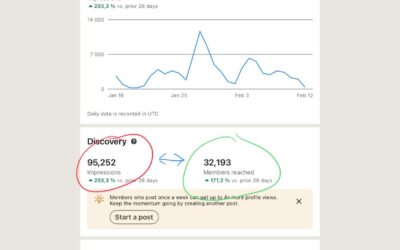
This function has been added to LinkedIn just recently and some of you might not have it yet. In your Analytics dashboard on a private profile, you have a section called Post impressions (here is an URL). Choose data for the last 365 days. And here it comes: I see...
Recently, you may see a pattern: THE FIRST POST ON YOUR FEED - is an organic post that was published by a person you follow or liked and commented on by a person you follow. Rarely, it may be a post from a company page based on the same principles. THE SECOND POST ON...
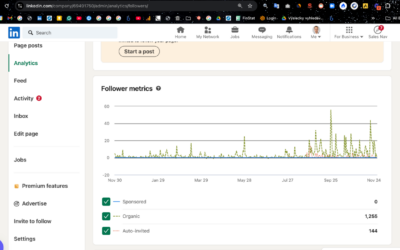
So, you are the administrator of your company page on LinkedIn. That is a hard position indeed since you are expected to deliver visibility with a tool that...is not good enough. Still, there are some tricks that may help you: Trick No. 1 Post at least twice per month...